 Filedini
· 4 min read
Filedini 0.5.1360 (Beta) Released
Introducing Integrated Terminal, Folder Statistics, and Enhanced Previews.

Integrated Terminal and Enhanced Previews
Thank you for using Filedini. In this update, we have focused on expanding the capabilities for developers and power users.
We are excited to introduce a built-in Terminal and significantly enhanced file preview features.
Here are the highlights of this release:
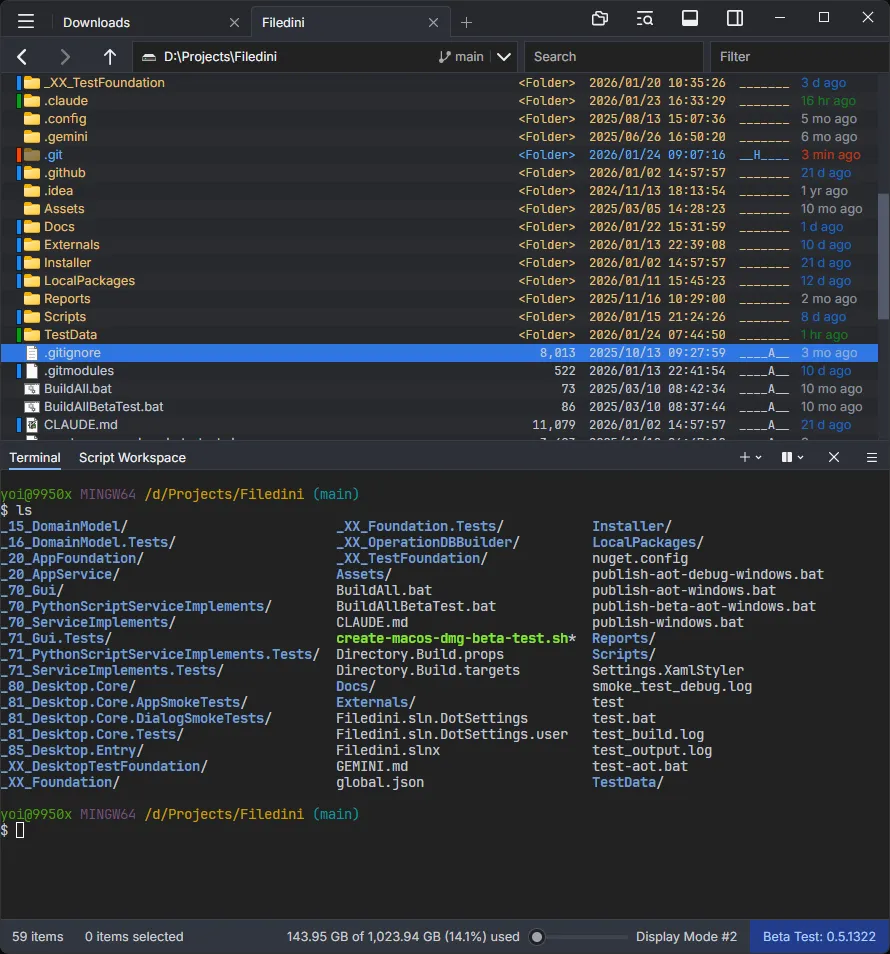
💻 New Feature: Integrated Terminal
We have implemented a fully functional Terminal within Filedini. You can now execute shell commands and check outputs without leaving the file manager. It also supports running TUI (Text-based User Interface) applications directly.
👁️ Preview Enhancements
We have vastly improved the preview capabilities to support more file types and provide deeper insights.
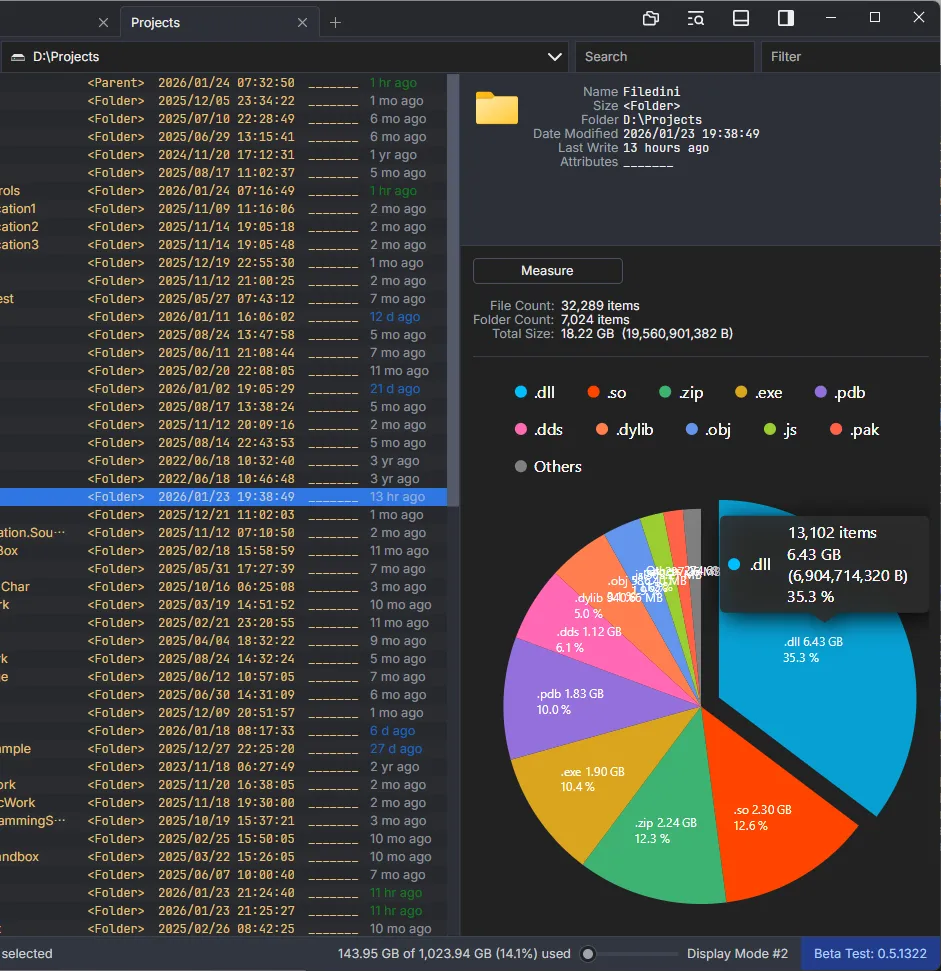
Folder Statistics
You can now visualize the status and statistics of the current folder. This allows for a quick understanding of folder contents and storage usage.
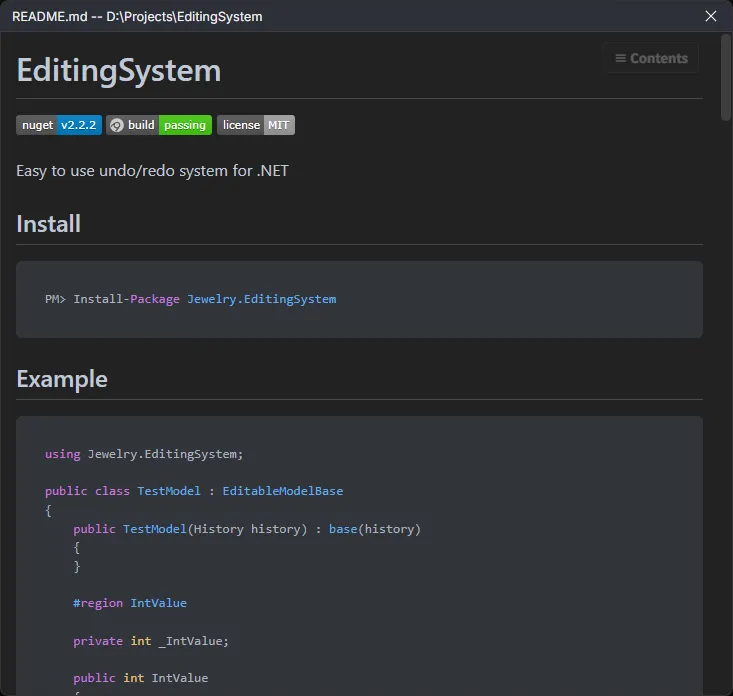
Markdown Preview Overhaul
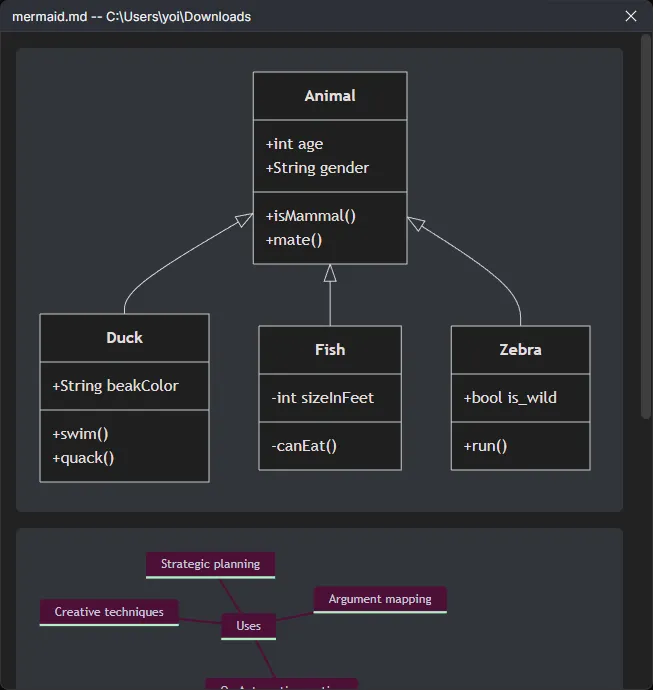
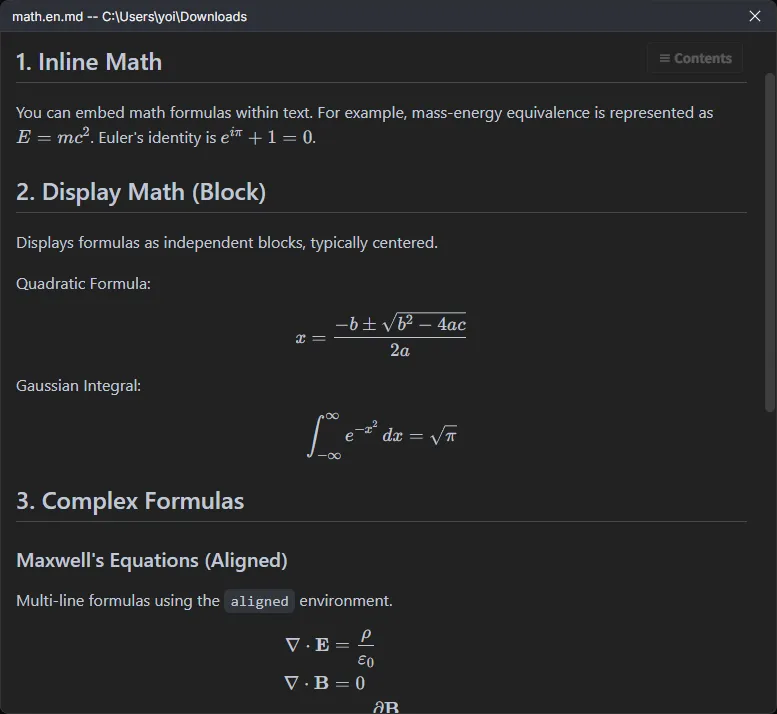
The Markdown preview has been significantly improved for better readability and functionality:
- Mermaid Extensions: Support for extended syntax.
- Math Rendering: Mathematical formulas are now rendered correctly.
- Syntax Highlighting: Code blocks are now highlighted for better readability.
New File Formats Support
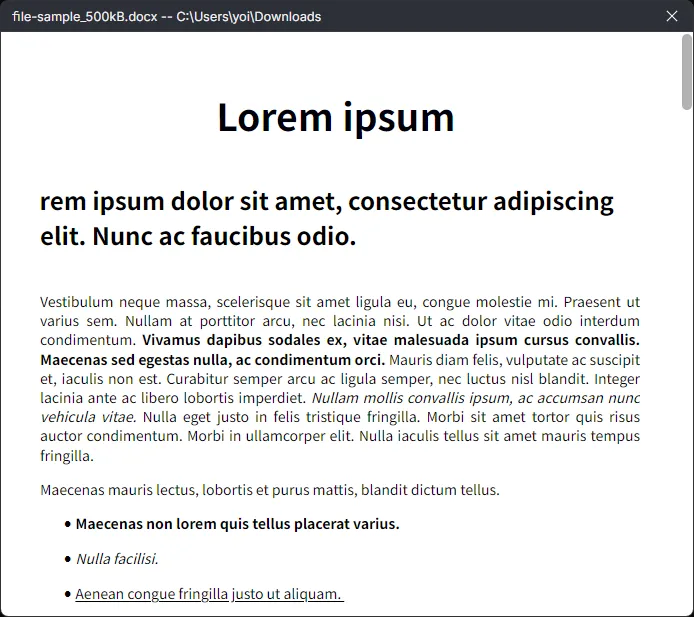
We have added preview support for the following formats:
- Jupyter Notebooks (.ipynb): View notebook contents seamlessly.
- Word Documents (.docx): Preview Microsoft Word documents directly.
Other Improvements
In addition to the above, we have made various bug fixes and performance optimizations to ensure a smoother experience. Thank you for your continued support of Filedini.
ターミナル機能の追加とプレビュー機能の大幅強化
いつもFilediniをご利用いただき、ありがとうございます。 今回のアップデートでは、開発者やパワーユーザーの皆様に向けて機能を拡張しました。
新たに「ターミナル機能」を搭載し、プレビュー機能を大幅に強化しています。 主な変更点は以下の通りです。
💻 新機能:ターミナル機能
Filedini内で直接動作するターミナル機能を実装しました。 シェルコマンドを実行して出力を確認できるほか、TUI(テキストベース・ユーザーインターフェース)アプリケーションの実行にも対応しています。
👁️ プレビュー機能の強化
より多くのファイル形式に対応し、情報の可視化を強化しました。
フォルダー状況の可視化
フォルダー内の統計情報や状況を計測し、表示できるようになりました。 これにより、フォルダーの構成や容量の使用状況を一目で把握できます。
Markdownプレビューの改善
Markdownファイルの表示機能を大幅にアップデートしました。
- Mermaid拡張機能への対応
- 数式のレンダリング対応
- コードブロックのシンタックスハイライト対応
新しいファイル形式への対応
以下の形式のプレビューを追加しました。
- Jupyter Notebook (.ipynb): ノートブックの内容を確認できます。
- Wordファイル (.docx): オフィス系ドキュメントを直接プレビューできます。
その他の改善
上記に加え、細かなバグ修正やパフォーマンスの最適化を行っています。 引き続き、どうぞよろしくお願いいたします。