 Filedini
Select, process. The way file management should be.
No complicated settings or unnecessary options. With keyboard-focused intuitive controls, you can manage your files without interrupting your flow of thought.
Be a pioneer—join our free beta today and let your feedback spark our next big innovation!

Features
What you get with Filedini
Creating and deleting files and folders, compressing and extracting, and anything else you can think of is possible. Here, we'll introduce some of the key features.
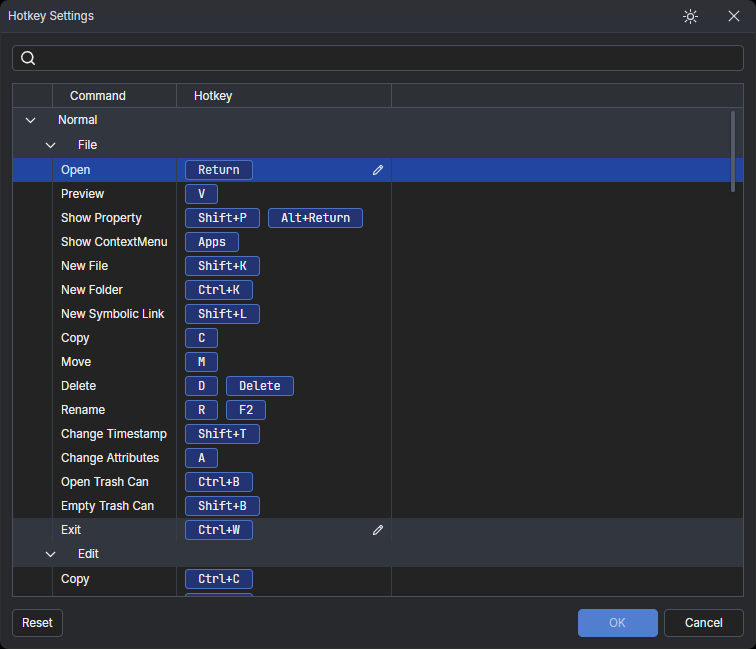
Full keyboard customization
All hot keys for operations can be customized to suit your preferences, giving you complete control over your workflow.
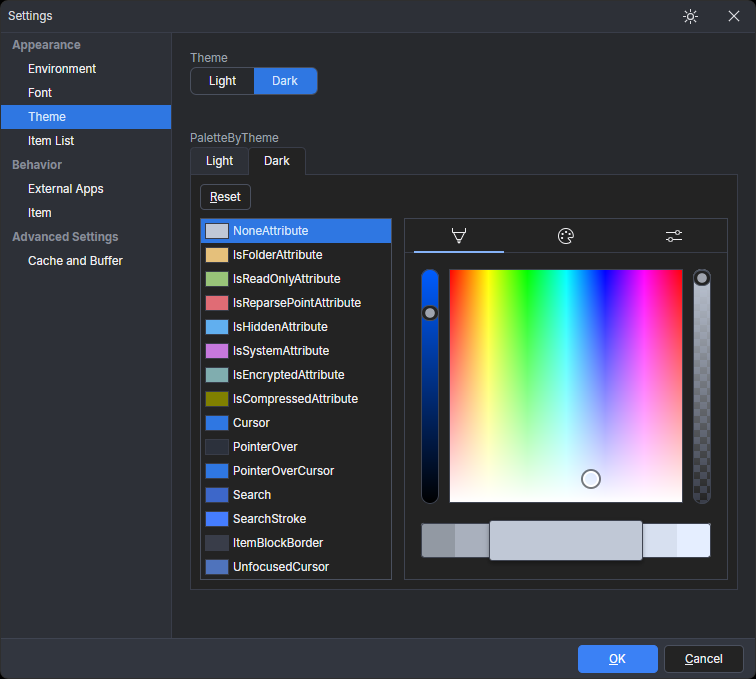
Customizable appearance
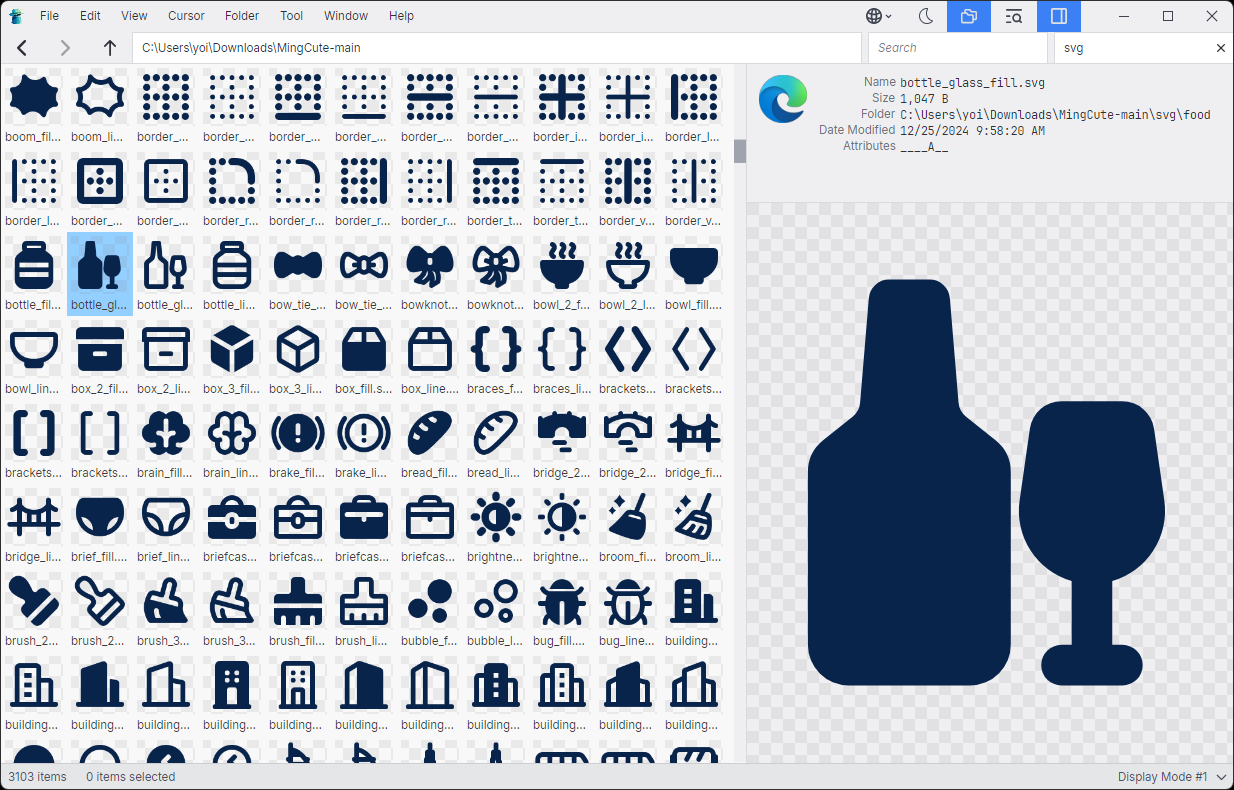
Choose between dark and light themes to match your preference. Customize fonts for a look that feels just right for you.
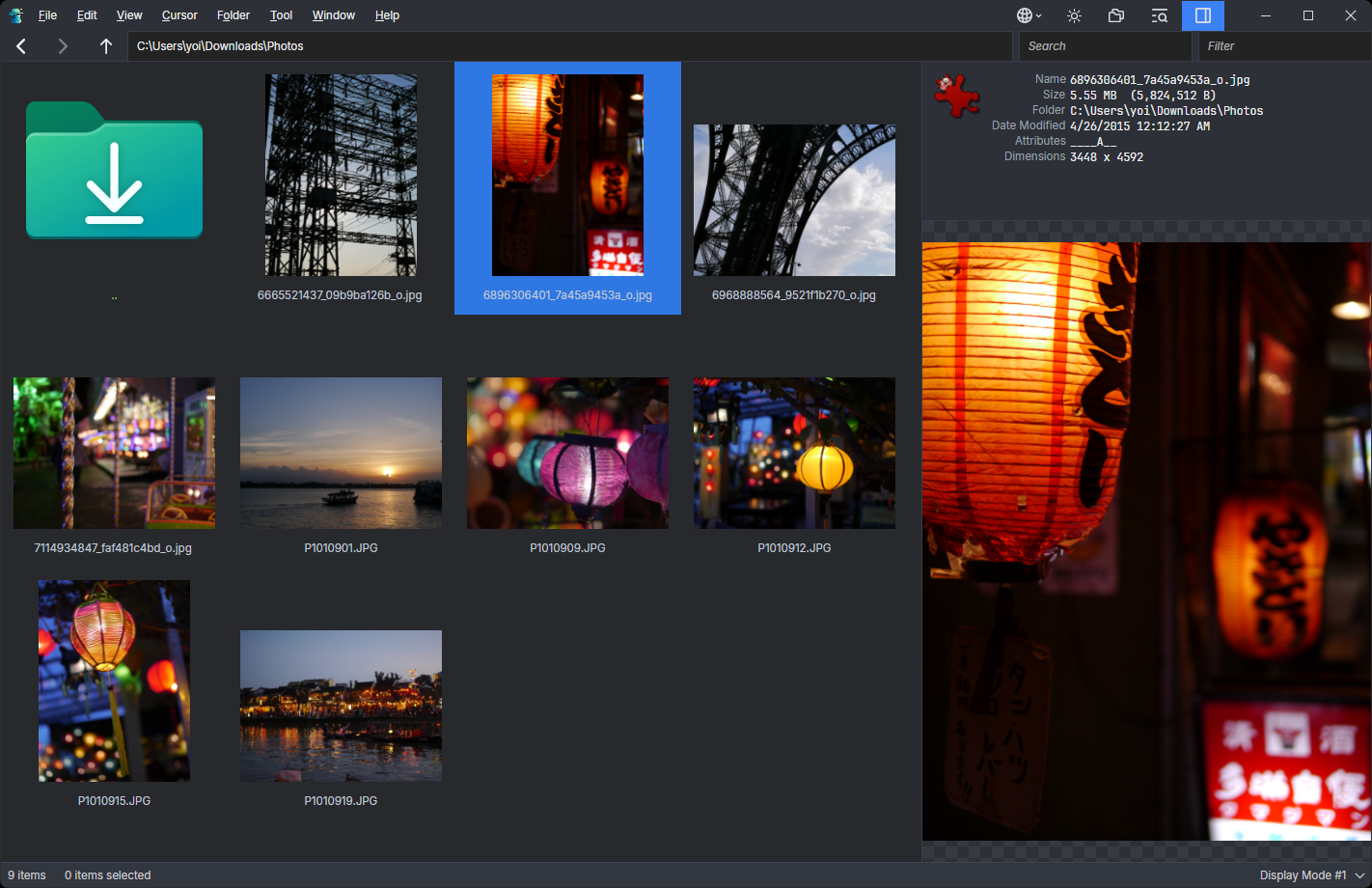
Built-in file preview
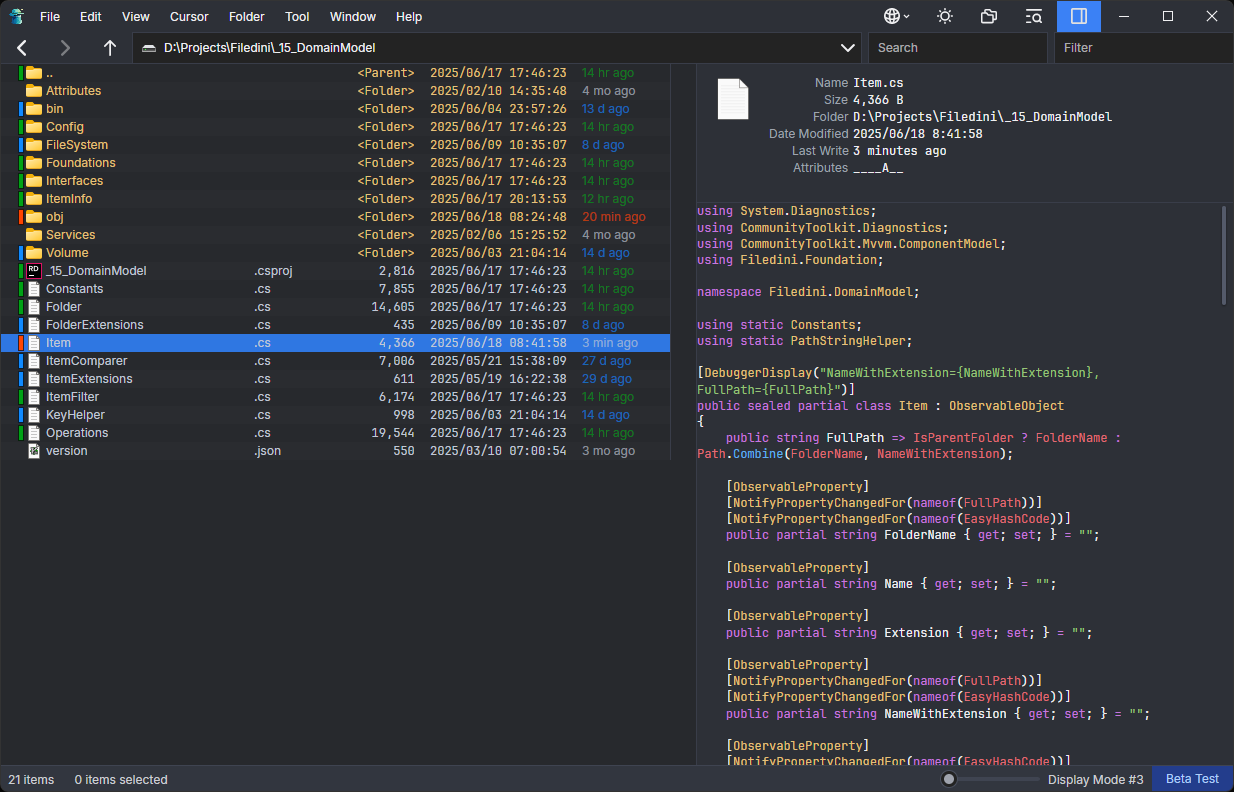
Preview common file formats such as images (.jpg, .png, etc.), PDFs, and SVGs directly within the app. Program source code is displayed with syntax highlighting, while binary files are shown in hexadecimal format. We are continuously considering support for more popular formats based on user requests.
Search and filter
Quickly find the files you need with powerful search and filtering options. Search or filter by filename, including all files within subfolders. Use initial search mode to locate files by their starting letters. With these features, you can instantly access the files you're looking for.
Bookmarks
Save frequently used folders for quick access. You can also assign hotkeys to bookmarked folders, allowing you to jump to your desired location with a single keystroke.
Various list views
Easily switch between list view and icon view with a single touch. Customize icon sizes to your preference. Each view mode allows you to configure displayed details such as file size and attributes, enabling an optimized layout for different tasks.
Mouse controls are not forgotten!
Seamlessly integrate with other applications using drag-and-drop. The native OS context menu is fully implemented for a familiar and consistent experience.
Media Feedback
" Filedini is a file manager designed to make daily file management more efficient and intuitive, based on the keyboard-based operating system that was the mainstream in the DOS era, and designed for the modern environment. "

Windowsアプリ・フリーソフトのおすすめ情報
FAQs
Frequently Asked Questions
Will Filedini become a paid application after the beta test?
Yes, it will. Pricing plans are currently under consideration. If you have any thoughts or suggestions on pricing, we’d love to hear them!
Will there be support for macOS?
Yes, we plan to support them. Filedini is designed from the ground up as a multi-platform application, and the core functionality is already working. However, additional development is needed for OS-specific features. Our primary focus is on completing the Windows version first.
What’s the best way to share feedback?
Please share your thoughts with us through the contact page. Your feedback is greatly appreciated — thank you!
Try it now – Free during beta!
We are currently in beta testing phase, and you can try it for free. Experience the speed and simplicity of our file manager today!